Tel: 650-980-4870

Blog
Managed Services
The Complete Guide to Managed IT Services for Medium-Sized Companies: Everything You Need to Know
In today's digital-first business environment, medium-sized companies face a unique challenge: they need enterprise-grade IT infrastructure and support, but often lack the resources of Fortune 500 companies. This is where managed IT services have become not just helpful, but essential.
If you're a business leader at a company with 50-500 employees, you've likely wrestled with questions like: Should we build an in-house IT team or outsource? What should managed services actually cost? How do we maintain security without breaking the bank? This comprehensive guide covers everything you need to know about managed IT services for medium-sized businesses.
What Are Managed IT Services?
Managed IT services involve outsourcing your company's IT operations and responsibilities to a third-party provider, known as a Managed Service Provider (MSP). Rather than hiring a full in-house IT department or relying on break-fix support, you partner with experts who proactively monitor, manage, and maintain your technology infrastructure.
The Evolution from Break-Fix to Managed Services
Traditional IT support operated on a "break-fix" model—something breaks, you call for help, you pay for the fix. This reactive approach led to:
Unpredictable costs
Extended downtime
No preventive maintenance
Limited strategic planning
Managed services flip this model by providing:
Proactive monitoring that catches issues before they cause problems
Predictable monthly costs instead of surprise bills
Strategic IT planning aligned with business goals
24/7 support and rapid response times
Why Medium-Sized Companies Are the Sweet Spot for Managed Services
Medium-sized companies occupy a unique position in the business landscape:
Too Big for DIY IT
With 50+ employees, you can't rely on "that person who's good with computers" anymore. You need:
Professional network infrastructure
Robust cybersecurity measures
Compliance with industry regulations
Business continuity planning
Multi-location support
Too Small for Full Enterprise IT Teams
Building a complete in-house IT department requires:
Multiple specialized roles (network admin, security specialist, help desk, CTO)
Competitive salaries ($60K-$150K+ per role)
Benefits and overhead (typically 1.25-1.4x salary)
Training and certification costs
Redundancy for coverage during vacations/illness
The math is sobering: A basic 3-person IT team can easily cost $300K-$500K annually before you've purchased a single piece of hardware or software.
The Managed Services Advantage
For medium-sized companies, managed services provide:
Access to an entire team of specialists for the cost of 1-2 full-time employees
Enterprise-grade tools and technologies you couldn't afford individually
Scalability as you grow without hiring headaches
Expertise across multiple domains (security, cloud, networking, compliance)
24/7 coverage without overtime costs
Core Components of Managed IT Services
1. Help Desk and End-User Support
The foundation of any managed service offering:
What's Included:
Multi-channel support (phone, email, chat, portal)
Tiered support structure (Level 1, 2, and 3 technicians)
Password resets and account management
Software troubleshooting
Hardware issue diagnosis
Remote and on-site support options
What to Look For:
Response time guarantees (typically 15 minutes to 4 hours depending on severity)
Resolution time commitments
User satisfaction metrics
After-hours support availability
Dedicated account manager
Typical Cost: $50-$150 per user per month, depending on service level
2. Network Monitoring and Management
Proactive oversight of your entire IT infrastructure:
What's Included:
24/7/365 network monitoring
Server health monitoring
Bandwidth utilization tracking
Performance optimization
Patch management
Firmware updates
Network device configuration and management
What to Look For:
Remote Monitoring and Management (RMM) tools
Automated alerting systems
Regular performance reports
Proactive issue resolution
Network documentation
Why It Matters: Studies show that proactive monitoring can prevent up to 85% of potential IT issues before they impact users.
3. Cybersecurity Services
Perhaps the most critical component for modern businesses:
What's Included:
Firewall management and monitoring
Antivirus/anti-malware deployment and management
Email security and spam filtering
Multi-factor authentication (MFA) implementation
Security awareness training
Vulnerability assessments
Security patch management
Intrusion detection and prevention
Security Information and Event Management (SIEM)
Advanced Security Services:
Penetration testing
Security Operations Center (SOC) monitoring
Incident response planning
Compliance management (HIPAA, PCI-DSS, GDPR, etc.)
Dark web monitoring
Endpoint Detection and Response (EDR)
Why It Matters: The average cost of a data breach for mid-sized companies is $2.98 million, according to IBM's Cost of a Data Breach Report. Cybercrime damages are projected to reach $10.5 trillion annually by 2025.
Typical Cost: Basic security: $20-$50 per user/month; Advanced security: $50-$150+ per user/month
4. Cloud Services Management
As businesses migrate to the cloud, expert management becomes essential:
What's Included:
Cloud strategy and migration planning
Microsoft 365/Google Workspace administration
Cloud backup and disaster recovery
Cloud cost optimization
Multi-cloud management
Cloud security configuration
SaaS application management
What to Look For:
Certified cloud architects
Experience with your specific cloud platforms
Cost optimization strategies
Hybrid cloud expertise
Cloud security specialization
Why It Matters: Gartner predicts that by 2025, 85% of organizations will embrace a cloud-first principle. Proper management can reduce cloud costs by 30-50%.
5. Backup and Disaster Recovery
Business continuity is non-negotiable:
What's Included:
Automated daily backups
Multiple backup locations (on-site and cloud)
Regular backup testing and verification
Disaster recovery planning
Recovery Time Objective (RTO) and Recovery Point Objective (RPO) definition
Business continuity planning
Failover testing
What to Look For:
3-2-1 backup strategy (3 copies, 2 different media, 1 off-site)
Immutable backups (ransomware protection)
Documented recovery procedures
Regular disaster recovery drills
Clear RTO/RPO commitments
Why It Matters: 60% of small to medium-sized companies that suffer a cyber attack go out of business within six months. 93% of companies that lost their data center for 10 days or more filed for bankruptcy within one year.
Typical Cost: $50-$200+ per server/month, plus per-user costs for endpoint backup
6. Strategic IT Planning and vCIO Services
Virtual Chief Information Officer (vCIO) services provide strategic guidance:
What's Included:
Technology roadmap development
IT budget planning
Vendor management
Technology assessments
Strategic project planning
Digital transformation guidance
IT policy development
What to Look For:
Quarterly business reviews
Alignment with business objectives
Proactive recommendations
Industry expertise
Long-term planning focus
Why It Matters: Companies with strategic IT planning are 2.5x more likely to achieve their business objectives.
Typical Cost: $2,000-$10,000+ per month, or included in comprehensive packages
7. Compliance Management
Regulatory compliance is increasingly complex:
What's Included:
Compliance gap assessments
Policy and procedure documentation
Audit preparation and support
Compliance monitoring and reporting
Employee training
Remediation planning
Common Frameworks:
HIPAA (Healthcare)
PCI-DSS (Payment Card Industry)
GDPR (European data protection)
SOC 2 (Service organization controls)
CMMC (Defense contractors)
ISO 27001 (Information security)
Why It Matters: Non-compliance fines can be devastating—GDPR violations can reach €20 million or 4% of annual global turnover, whichever is higher.
Managed Services Pricing Models
Understanding how MSPs charge is crucial for budgeting:
1. Per-User Pricing
Structure: Fixed monthly fee per employee
Typical Range: $100-$250 per user per month
Best For: Companies with consistent headcount
Pros: Predictable, scales with growth
Cons: Can be expensive for companies with many devices per user
2. Per-Device Pricing
Structure: Fixed monthly fee per device (computer, server, mobile device)
Typical Range: $50-$150 per device per month
Best For: Companies with varying device-to-user ratios
Pros: More granular control
Cons: Can get complex with BYOD policies
3. Tiered Service Packages
Structure: Bronze/Silver/Gold packages with different service levels
Typical Range: $5,000-$50,000+ per month depending on company size
Best For: Companies wanting clear service level options
Pros: Easy to understand, room to grow
Cons: May include services you don't need
4. À La Carte Pricing
Structure: Base package plus add-on services
Best For: Companies with specific needs
Pros: Pay only for what you need
Cons: Can become expensive as you add services; complexity in management
5. All-You-Can-Eat (Flat Rate)
Structure: Single monthly fee for unlimited support
Typical Range: $10,000-$100,000+ per month
Best For: Larger medium-sized companies (200+ employees)
Pros: True cost predictability
Cons: May overpay if you don't use services heavily
What's Typically NOT Included
Be aware of common exclusions:
Hardware purchases
Software licensing
Major project work (office moves, infrastructure overhauls)
On-site visits beyond agreed limits
After-hours emergency support (may be extra)
Specialized consulting
How to Choose the Right Managed Service Provider
Key Selection Criteria
1. Industry Experience
Do they understand your industry's specific challenges?
Do they have clients in your sector?
Are they familiar with your compliance requirements?
2. Technical Certifications
Look for:
Microsoft Partner status (Gold/Silver)
Cisco certifications
CompTIA certifications
Security certifications (CISSP, CEH, Security+)
Cloud certifications (AWS, Azure, Google Cloud)
3. Service Level Agreements (SLAs)
Critical metrics to review:
Uptime guarantees: 99.9% is standard (43 minutes downtime/month)
Response times: How quickly they acknowledge issues
Resolution times: How quickly they fix problems
Penalties: What happens if they miss SLAs?
4. Security Posture
What security certifications do they hold?
How do they protect your data?
What's their incident response process?
Do they carry cyber insurance?
5. Scalability
Can they grow with you?
Do they support multi-location businesses?
Can they handle seasonal fluctuations?
6. Communication and Reporting
How often do you receive reports?
What metrics do they track?
Who's your main point of contact?
How do they handle escalations?
7. Local vs. Remote Support
Do you need on-site support?
How quickly can they be on-site?
What's the balance between remote and local?
8. Financial Stability
How long have they been in business?
What's their client retention rate?
Are they financially stable?
Red Flags to Watch For
Vague SLAs or no SLAs at all
No clear escalation process
Reluctance to provide references
Pressure to sign long contracts without trial periods
Lack of transparency in pricing
No documented processes
High client turnover
Offshore-only support (if you need local presence)
One-size-fits-all approach
No security certifications
Questions to Ask Potential MSPs
About Their Service:
What's your average response time for critical issues?
How do you handle after-hours emergencies?
What's your client retention rate?
Can you provide three references in our industry?
What's your technician-to-client ratio?
About Security:
6. How do you stay current with security threats?
7. What security training do your technicians receive?
8. How do you handle security incidents?
9. What cyber insurance do you carry?
About the Relationship:
10. Who will be our primary contact?
11. How often will we have business reviews?
12. What's your escalation process?
13. How do you handle contract termination?
14. What's your onboarding process?
About Technology:
15. What tools and platforms do you use?
16. How do you handle vendor relationships?
17. What's your approach to technology planning?
18. How do you stay current with technology trends?
The True Cost of Managed Services vs. In-House IT
Let's break down a realistic comparison for a 100-employee company:
In-House IT Team
Personnel Costs:
IT Manager/Director: $120,000
Network Administrator: $75,000
Help Desk Technician: $50,000
Subtotal: $245,000
Additional Costs:
Benefits (30%): $73,500
Training/Certifications: $10,000
Tools and Software: $15,000
Recruitment/Turnover: $20,000
Total Annual Cost: $363,500
Limitations:
Limited coverage (vacation, sick days)
Knowledge gaps in specialized areas
No redundancy
Scaling challenges
Managed Services
Monthly Cost:
Comprehensive managed services: $15,000/month
Total Annual Cost: $180,000
Included:
24/7 monitoring and support
Team of specialists
Enterprise-grade tools
Strategic planning
Scalability
No HR overhead
Savings: $183,500 annually (50% reduction)
Additional Benefits:
Access to specialized expertise
Better security posture
Predictable costs
Focus on core business
Common Challenges and How to Overcome Them
Challenge 1: Loss of Control
Concern: "We're handing over our IT to strangers."
Solution:
Start with a hybrid approach
Maintain clear communication channels
Require regular reporting
Keep strategic decisions in-house
Choose an MSP that acts as a partner, not just a vendor
Challenge 2: Transition Disruption
Concern: "Moving to managed services will disrupt our business."
Solution:
Plan a phased transition
Conduct thorough documentation before switching
Schedule transitions during low-activity periods
Maintain parallel support during transition
Set clear expectations with employees
Challenge 3: Hidden Costs
Concern: "The price will creep up with add-ons."
Solution:
Get everything in writing
Understand what's included and excluded
Ask about typical additional costs
Review contracts carefully
Build a relationship based on transparency
Challenge 4: Service Quality
Concern: "Will they really care about our business?"
Solution:
Choose an MSP with strong references
Look for industry-specific experience
Establish clear KPIs and SLAs
Schedule regular business reviews
Maintain open communication
Challenge 5: Security and Compliance
Concern: "Can we trust them with our sensitive data?"
Solution:
Verify security certifications
Review their security policies
Ensure compliance expertise
Require background checks on technicians
Include security requirements in contracts
The Onboarding Process: What to Expect
Phase 1: Discovery and Assessment (Weeks 1-2)
Network documentation
Asset inventory
Security assessment
User interviews
Pain point identification
Current vendor review
Phase 2: Planning and Design (Weeks 3-4)
Service design
Migration planning
Communication strategy
Training plan development
Timeline creation
Phase 3: Implementation (Weeks 5-8)
Tool deployment
Monitoring setup
Security implementation
User training
Process documentation
Parallel support
Phase 4: Optimization (Weeks 9-12)
Performance tuning
User feedback collection
Process refinement
Additional training
Full transition
Phase 5: Ongoing Management (Month 4+)
Regular monitoring
Quarterly business reviews
Continuous improvement
Strategic planning
Relationship building
Measuring MSP Success: Key Performance Indicators
Track these metrics to ensure you're getting value:
Technical Metrics
System Uptime: Should be 99.9%+
Mean Time to Respond (MTTR): How quickly issues are acknowledged
Mean Time to Resolve (MTTR): How quickly issues are fixed
Ticket Volume Trends: Are problems decreasing over time?
First Call Resolution Rate: Percentage of issues resolved on first contact
Business Metrics
User Satisfaction Scores: Regular surveys of your employees
Cost per User: Is it staying within budget?
Project Delivery: Are strategic projects completed on time?
Security Incidents: Trending down?
Compliance Status: Maintaining required certifications?
Strategic Metrics
Technology Roadmap Progress: Are you advancing strategically?
Business Alignment: Is IT supporting business goals?
Innovation Index: Are you adopting beneficial new technologies?
Risk Reduction: Is your security posture improving?
Industry-Specific Considerations
Healthcare
HIPAA compliance is non-negotiable
Need for EHR/EMR system expertise
Patient data security paramount
Telehealth infrastructure support
Medical device integration
Financial Services
PCI-DSS compliance for payment processing
SOC 2 certification often required
Enhanced security measures
Disaster recovery with strict RTOs
Regulatory reporting support
Legal
Client confidentiality protection
Document management systems
E-discovery support
Conflict checking systems
Time and billing integration
Manufacturing
OT/IT convergence expertise
Supply chain system integration
IoT device management
Production system uptime critical
Industrial control system security
Professional Services
Project management tool integration
Client portal management
Time tracking systems
Collaboration tools optimization
Mobile workforce support
The Future of Managed Services
Emerging Trends
1. AI and Automation
Predictive maintenance using machine learning
Automated ticket resolution
Intelligent monitoring and alerting
Chatbot-based support
2. Security-First Approach
Zero Trust architecture
Extended Detection and Response (XDR)
Security as a core service, not add-on
Continuous compliance monitoring
3. Cloud-Native Services
Multi-cloud management
Cloud cost optimization
Serverless architecture support
Cloud-native security
4. Outcome-Based Pricing
Pay for results, not just services
Business metric alignment
Value-based contracts
Risk-sharing models
5. Hyper-Personalization
Industry-specific solutions
Customized service packages
Flexible engagement models
White-glove service options
Making the Decision: Is Managed Services Right for You?
You Should Consider Managed Services If:
✅ You have 20+ employees
✅ Technology is critical to your operations
✅ You lack in-house IT expertise
✅ You're experiencing frequent IT issues
✅ You need to improve security posture
✅ You want predictable IT costs
✅ You're planning to grow
✅ You need compliance support
✅ You want to focus on core business
✅ You need 24/7 support
You Might Want to Wait If:
❌ You have fewer than 10 employees
❌ You have a strong, stable IT team
❌ Your technology needs are very simple
❌ You have highly specialized, proprietary systems
❌ You're in a period of major business uncertainty
❌ You prefer complete control over all IT decisions
Conclusion: The Strategic Imperative
For medium-sized companies, managed IT services have evolved from a nice-to-have to a strategic imperative. The complexity of modern technology, the sophistication of cyber threats, and the pace of digital transformation make it nearly impossible for companies to go it alone without significant investment.
The right managed service provider becomes a true partner—extending your team, enhancing your capabilities, and enabling your business to compete with larger enterprises while maintaining the agility of a mid-sized organization.
Key Takeaways:
Managed services typically cost 50-60% less than building an equivalent in-house team
Security should be a primary consideration, not an afterthought
The right MSP provides strategic value, not just technical support
Clear SLAs and communication are essential for success
Industry expertise matters—look for providers who understand your sector
Start with a clear scope and expand as the relationship matures
Measure success with both technical and business metrics
The question isn't whether to consider managed services—it's finding the right partner to help your business thrive in an increasingly digital world. Take the time to evaluate your options carefully, ask the tough questions, and choose a provider that aligns with your business values and goals.
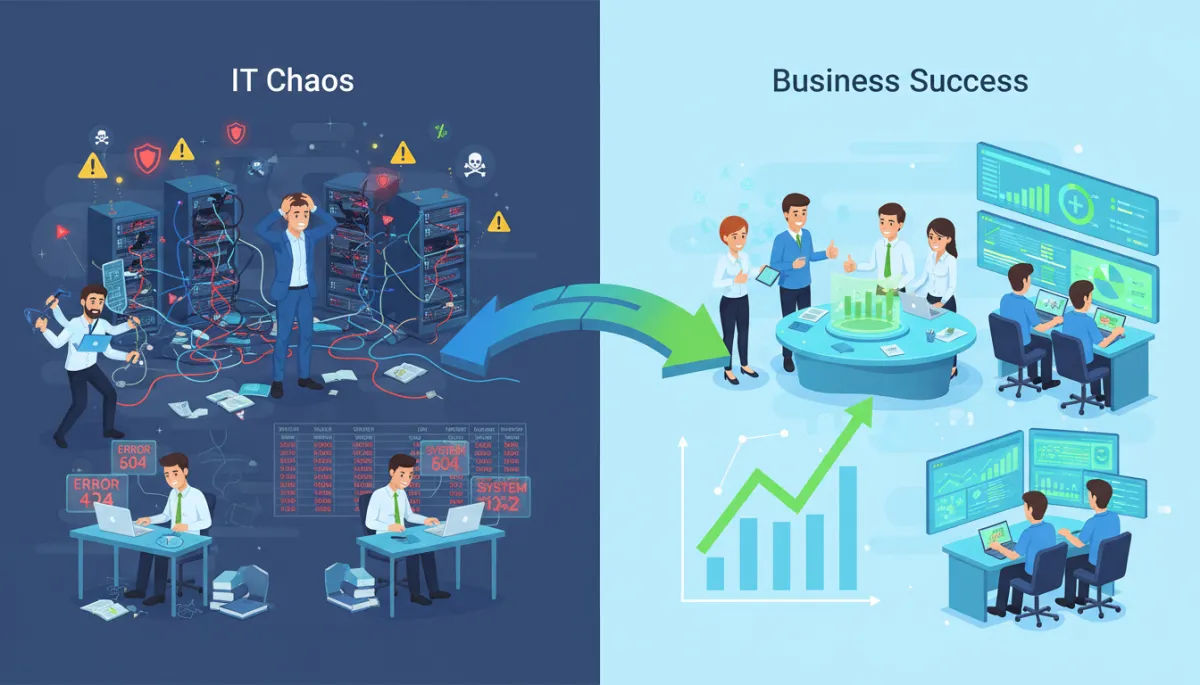
Your technology should be an enabler of growth, not a source of constant frustration. With the right managed service provider, it can be exactly that.
Ready to explore managed IT services for your company? Start by conducting an honest assessment of your current IT capabilities, documenting your pain points, and defining what success looks like for your organization. Then begin the conversation with potential providers armed with the knowledge to ask the right questions and make an informed decision.

Menu
Services
© Copyright 2023. Optimal Outcomes. All rights reserved.