Tel: 650-980-4870

Blog
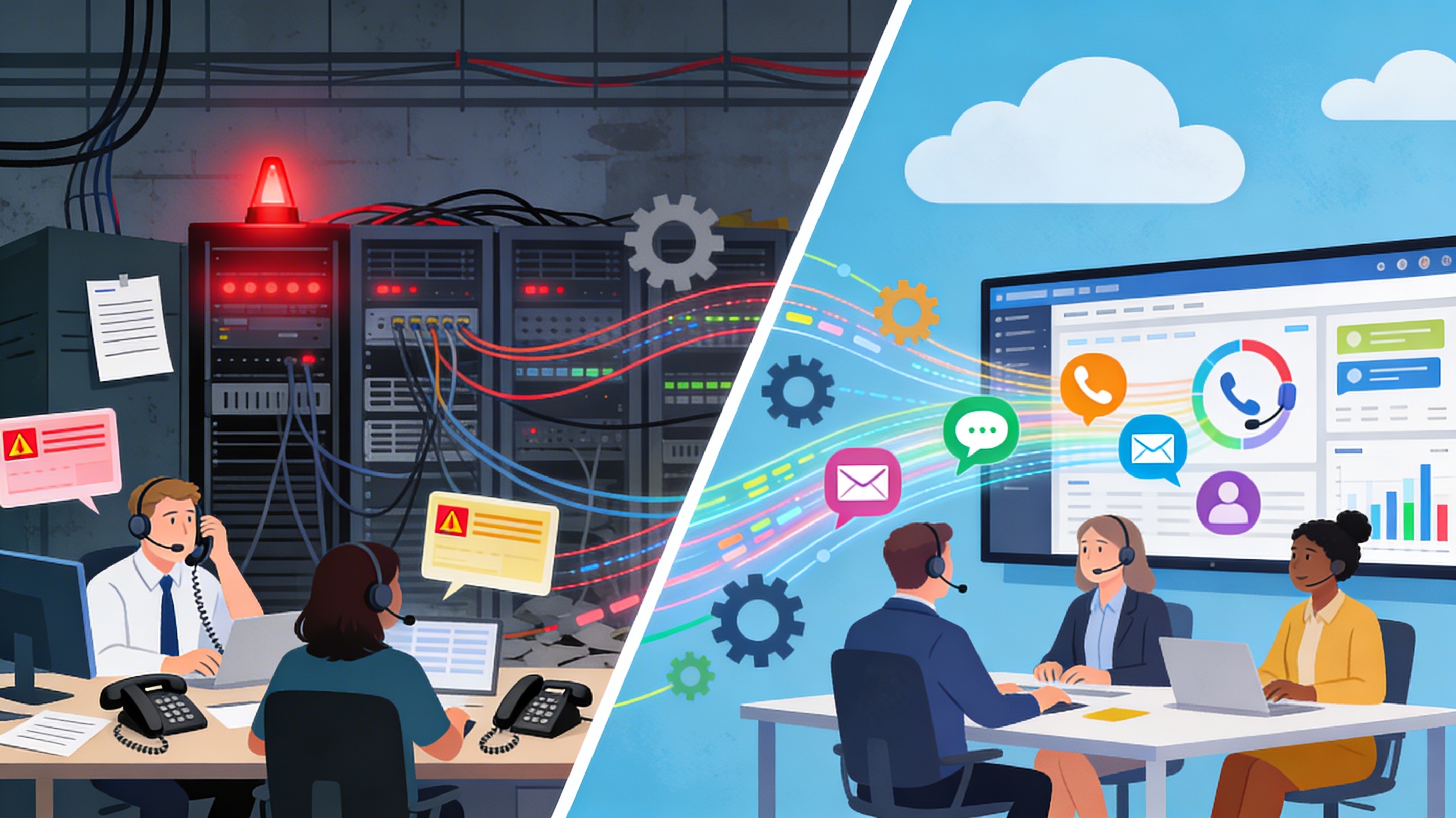
Replacing Legacy Systems
You replace legacy IT and contact center systems when the cost, risk, and friction of keeping them exceeds the value they provide, especially once they block CX, AI, and growth initiatives. Below is the same blog-style post with all references removed.
When Is It Time To Replace Legacy IT And Contact Center Systems?
At some point, every CIO, COO, and Head of CX faces the same uncomfortable reality: the “stable” legacy platform is now the biggest constraint on customer experience and growth. The challenge is knowing when to stop patching and start planning a replacement before customers, agents, and regulators force your hand.
This post outlines practical, board-ready signals that it is time to modernize core IT or contact center systems, plus how to frame the decision in business—not just technical—terms.
1. Stability Slips And Outages Become Normal
The first visible sign is reliability. Systems that were once rock solid begin to show their age with more frequent incidents, brownouts, and unexplained slowdowns.
Watch for:
Rising number of P1/P2 incidents tied to the same legacy stack over the last 12–24 months.
Longer mean time to recovery because only a handful of experts understand how everything fits together.
When contact center downtime means customers cannot pay bills, get help, or report fraud, every minute of instability has a measurable revenue and reputational cost.
2. Maintenance Spend Crowds Out Innovation
A reliable way to know you are late to modernize: your run budget quietly cannibalizes your change budget. Teams spend their week firefighting, not delivering new capabilities.
Signals to track:
Growing percentage of IT budget consumed by keeping legacy systems alive versus funding new projects.
Premium rates for scarce legacy skills (for example, COBOL, proprietary telephony platforms) and growing contractor dependence.
Unaddressed technical debt diverts a significant slice of IT spend, starving strategic initiatives like AI, automation, and digital self-service.
3. The Platform Cannot Scale With The Business
Legacy systems often struggle to handle today’s interaction volumes, data complexity, and channel mix. What was sized for voice queues and batch processing is now expected to support digital, real-time, and AI-driven experiences.
Look for:
Capacity constraints every time you add a new business unit, region, or contact center queue.
Performance degradation during seasonal peaks, promotions, or incident spikes, leading to longer handle times and abandoned interactions.
Modern cloud-native architectures scale elastically with demand, while on-prem or monolithic systems force you into overprovisioning hardware or accepting service degradation.
4. CX Roadmaps Keep Hitting “Platform Limits”
For contact centers, the clearest signal is when the CX roadmap keeps getting watered down “because the platform can’t do it.”
Common blockers:
No native support for digital channels, journey orchestration, or real-time analytics; everything requires custom integrations and manual workarounds.
Inability to enable AI features like intelligent routing, virtual agents, or predictive assistance because the core platform lacks open APIs or real-time data access.
When your competitors can spin up new channels and AI capabilities in weeks while you are stuck in 18‑month projects, the platform has become a strategic liability, not an asset.
5. Customer Experience And Agent Experience Are Suffering
Technical debt is not just an internal IT problem; it shows up directly in customer and employee metrics.
Watch for:
Rising NPS detractors or CSAT drops linked to slow response times, repeated transfers, or agents lacking context.
Agent churn and burnout because tools are fragmented, slow, or missing basic features like unified desktops and real-time guidance.
Legacy platforms are closely associated with slower resolution, higher effort, and higher churn, as customers increasingly compare you to the best digital experiences they get anywhere else.
6. Compliance, Security, And Vendor Risk Are Growing
As regulations and cyber threats evolve, older platforms become harder and more expensive to keep compliant.
Risk red flags:
End-of-support or end-of-life notices from key vendors, leaving you without timely security patches or fixes.
Difficulty meeting new regulatory requirements (for example, industry-specific data retention, encryption, or auditability) without heavy custom work.
In contact centers, the inability to support modern identity controls and fraud prevention—particularly in a world of synthetic-voice attacks—creates real exposure.
7. Integration And Data Silos Block End‑To‑End Journeys
Legacy systems often sit at the center of messy, point-to-point integrations that are fragile and expensive to change.
Tell‑tale symptoms:
Customer and interaction data scattered across multiple platforms, making it hard to get a single view of the customer.
Every new tool or channel integration turns into a bespoke project with high risk of breaking something else.
When teams cannot access or trust data, advanced analytics, AI, and proactive customer engagement remain PowerPoint ambitions instead of production realities.
8. Business Change Moves Faster Than The Platform
Finally, even if a legacy system is “working,” it may not be working at the speed your business now requires.
Examples:
New products, pricing, or service models take months to reflect in systems because of hard-coded logic and brittle workflows.
M&A activity or entry into new markets repeatedly hits delays due to complex environment cloning, tenant setup, or routing changes.
When IT lead times and risk profiles are dictating your business strategy rather than enabling it, you are overdue for modernization.
A Simple Decision Framework For Leaders
Executives do not need to become architects to know when it is time to move; they need a clear, business-aligned framework.
Three practical lenses:
Risk:How likely is a serious outage, security incident, or compliance failure, and what would it cost?
Return:What revenue, cost, and CX upside could modern capabilities (cloud, AI, automation, digital) unlock over the next 3–5 years?
Readiness:Do you have the skills, partners, and change capacity to execute a phased modernization without disrupting critical operations?
When risk is high, return is compelling, and readiness is achievable with the right partner, the decision to replace the legacy system becomes a strategic imperative, not an optional IT project.
How To Use This In Your Organization
To make this real inside your own IT or contact center environment, you can:
Run a quick “legacy health check” using the eight categories above and score each system.
Quantify impact in business terms: downtime cost, lost revenue, agent churn, and customer churn.
Build a roadmap that sequences low-risk wins (for example, cloud contact center for one region) before tackling the most complex platforms.
This turns the conversation from “Should we replace our legacy system?” to “What is the cost of waiting another year?”—a question that CX-focused, growth-minded leaders can no longer ignore.

Menu
Services
© Copyright 2023. Optimal Outcomes. All rights reserved.